Defined scope
Describe what is included line by line so the price and the promised work tell the same story.


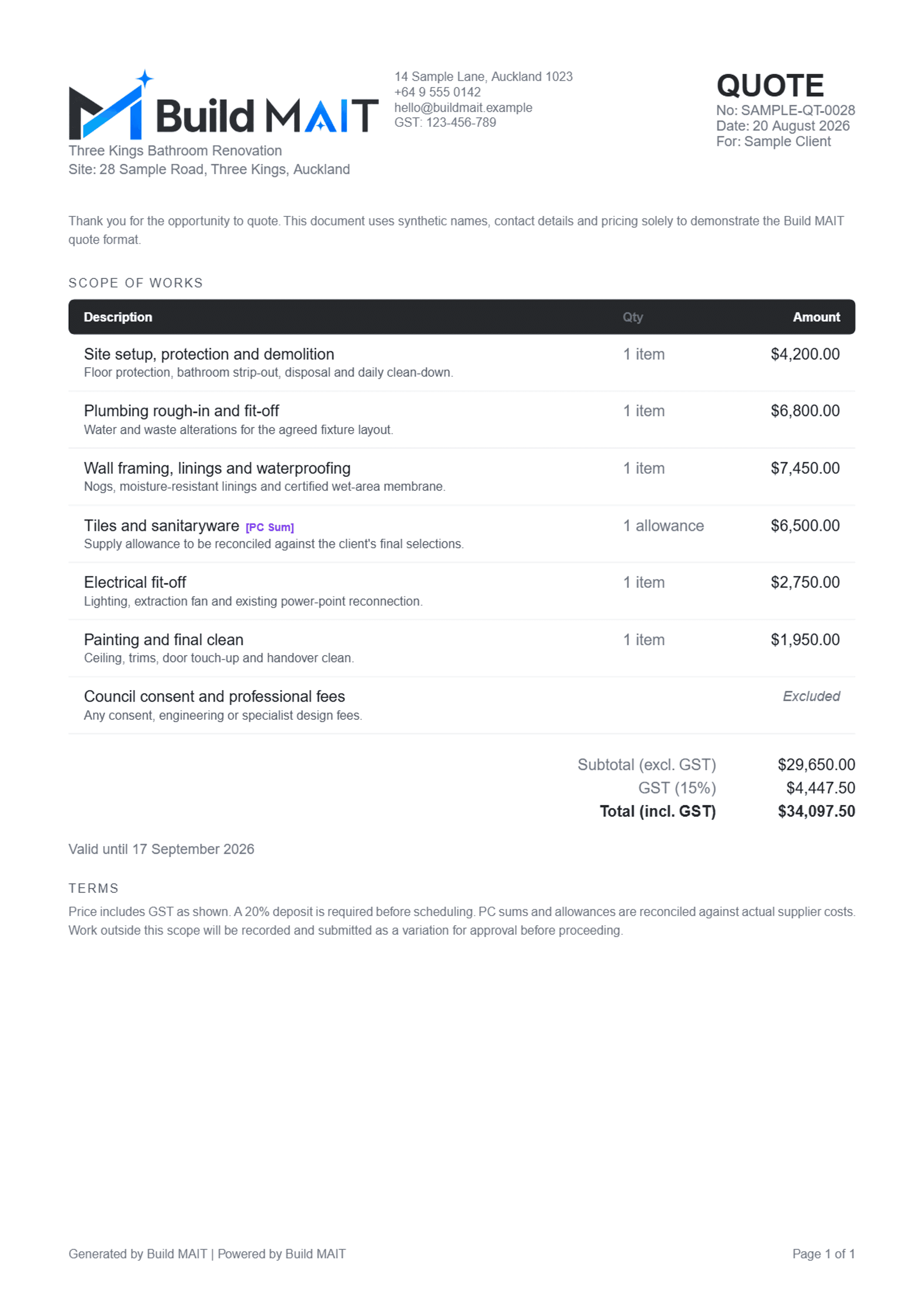
Turn the scope, price, allowances, exclusions and terms into a professional quote your client can understand and respond to online.
01
Scope defined
02
Price checked
03
Client responds
04
Baseline saved
Clarity before commitment
Define the work, provisional amounts and exclusions before the job starts. The client sees what they are approving and your team keeps a clean commercial baseline.
Describe what is included line by line so the price and the promised work tell the same story.
Show quantities, fixed prices, PC sums, allowances, exclusions, subtotal, GST and total clearly.
Keep the quote date, validity period, deposit terms and commercial notes on the document.
Give the client one place to review the quote and accept or decline the version you sent.
From estimate to agreed scope
Provisional does not have to mean vague.
Label PC sums and allowances clearly, then explain how they will be reconciled against actual cost.
Add the work items, quantities and prices. Label provisional allowances and make exclusions explicit.
Check the company identity, client, site, totals, GST, validity and terms before anything leaves your business.
Share the quote so the client can review the same version and accept or decline it online.
Use the agreed work as the commercial baseline for progress invoicing and future variations on the job.
A decision, not an email mystery
The client responds to the sent quote online. If you enable follow-ups, Build MAIT can send a first reminder after your chosen delay and one final reminder seven days later.
Construction quote FAQ
Yes. Build MAIT creates professional quotes with company details, scope items, quantities, pricing, GST, validity and terms.
Yes. Quote lines can be fixed price, PC sum, allowance, included, by others or excluded so a blank amount is never left ambiguous.
Yes. The sent quote gives the client a clear review page where they can accept or decline the version they received.
The accepted scope is kept as the agreed baseline. Later changes should be recorded separately as variations rather than silently rewriting the accepted work.
Yes. Optional quote follow-ups can send a first reminder after your chosen delay and a final reminder seven days later. They stop on acceptance, decline or expiry.
No. The downloadable example uses synthetic names, addresses, contact details and pricing purely to demonstrate the product format.
Start free for 14 days. No credit card and no sales call.